See it in action
Sometimes an install guide reads better after you’ve seen the finished product. Here’s what a live PodSaid widget looks like on a real customer’s site — Second Baptist Church Houston at second.org.
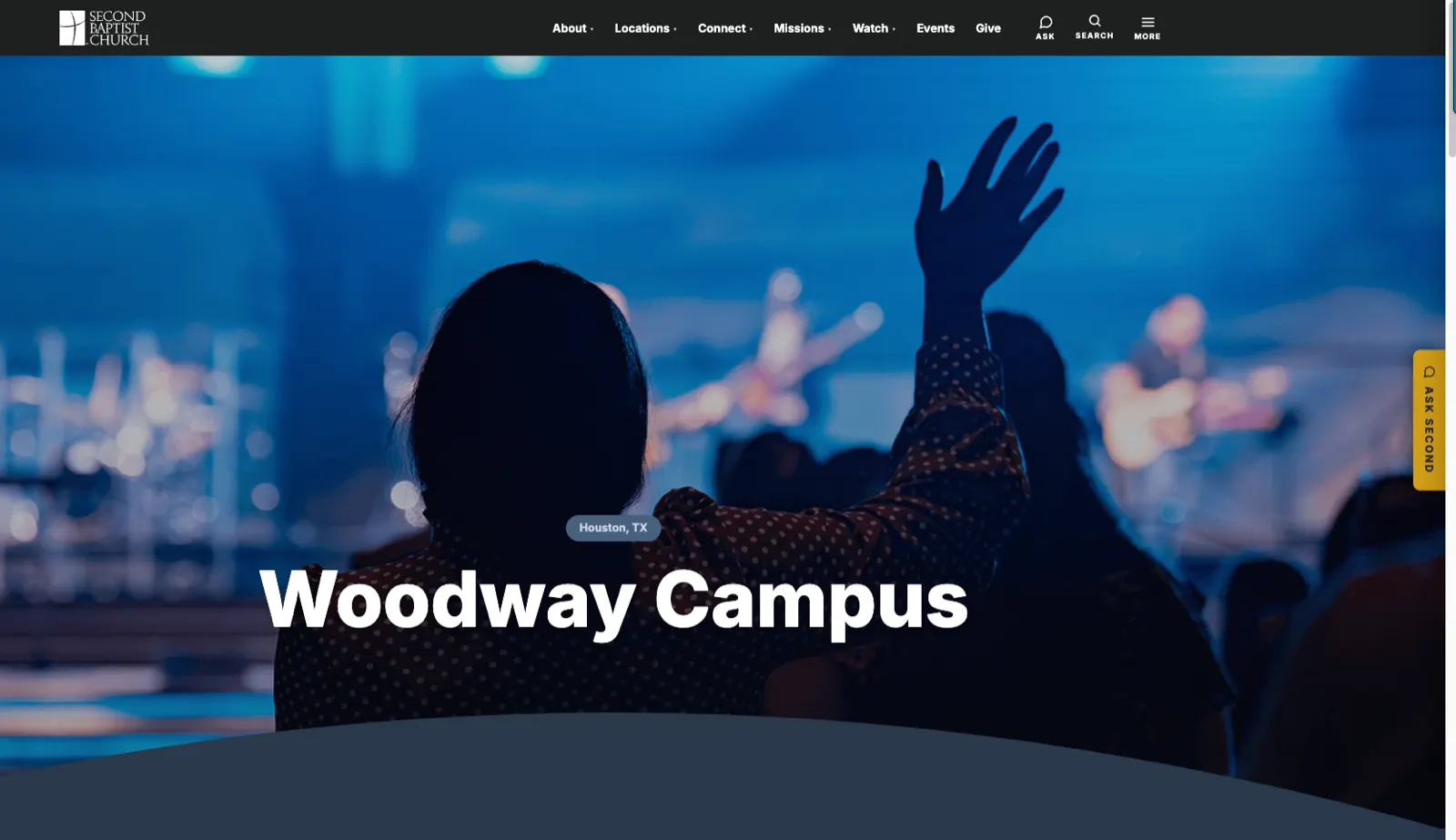
Step 1 — The launcher on the church homepage
Notice the Ask Second tab pinned to the right edge of the browser. That’s the widget’s floating launcher, custom-labeled and colored to match Second Baptist’s brand. Visitors see it on every page.
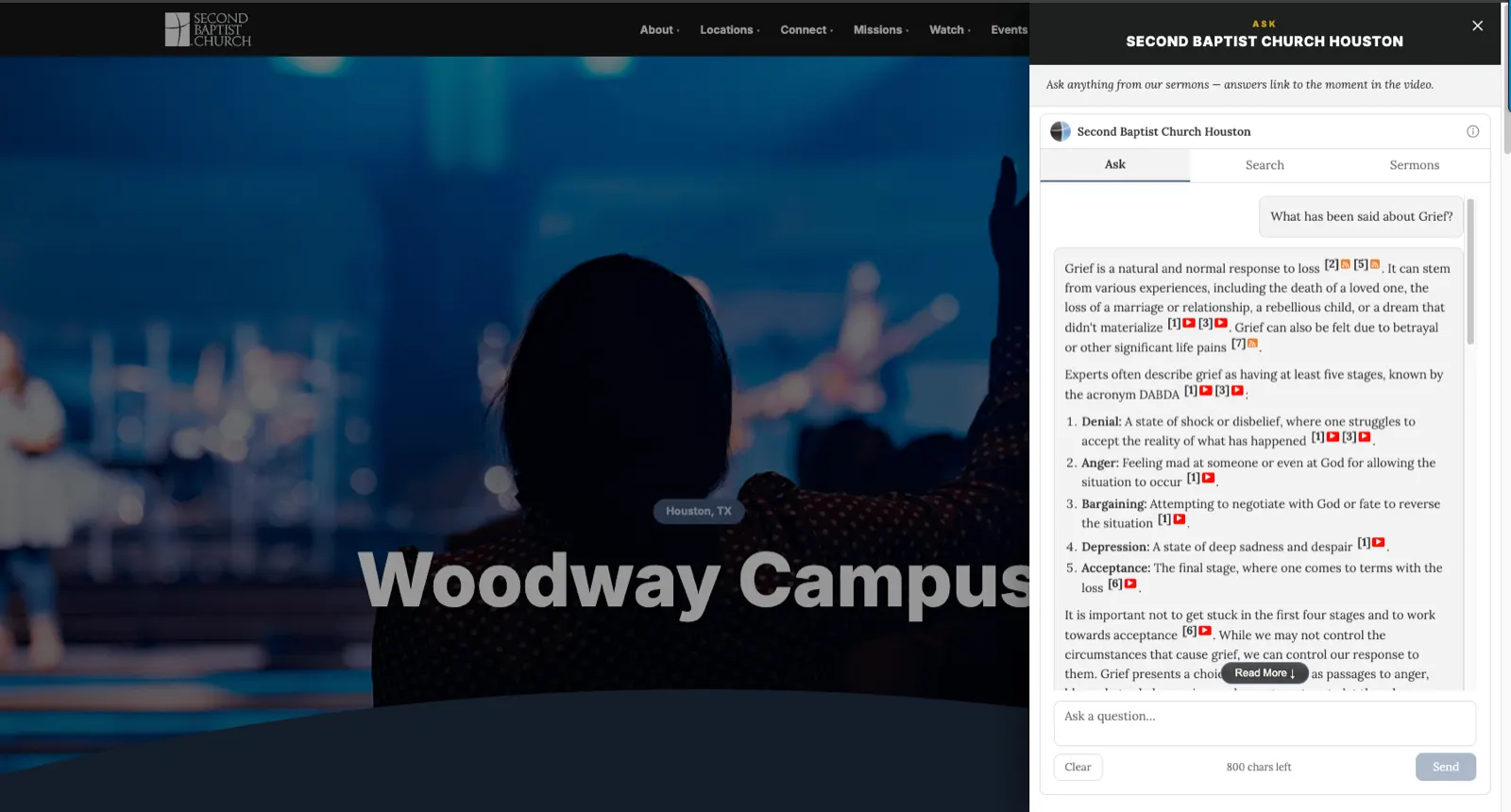
Step 2 — A visitor asks a question
Clicking Ask Second opens the chat pane. Here a visitor has asked “What has been said about Grief?” — and the widget answers straight from Second Baptist’s own sermon library. Every fact is cited: the numbered footnotes link back to the exact sermon and moment where the pastor said it.
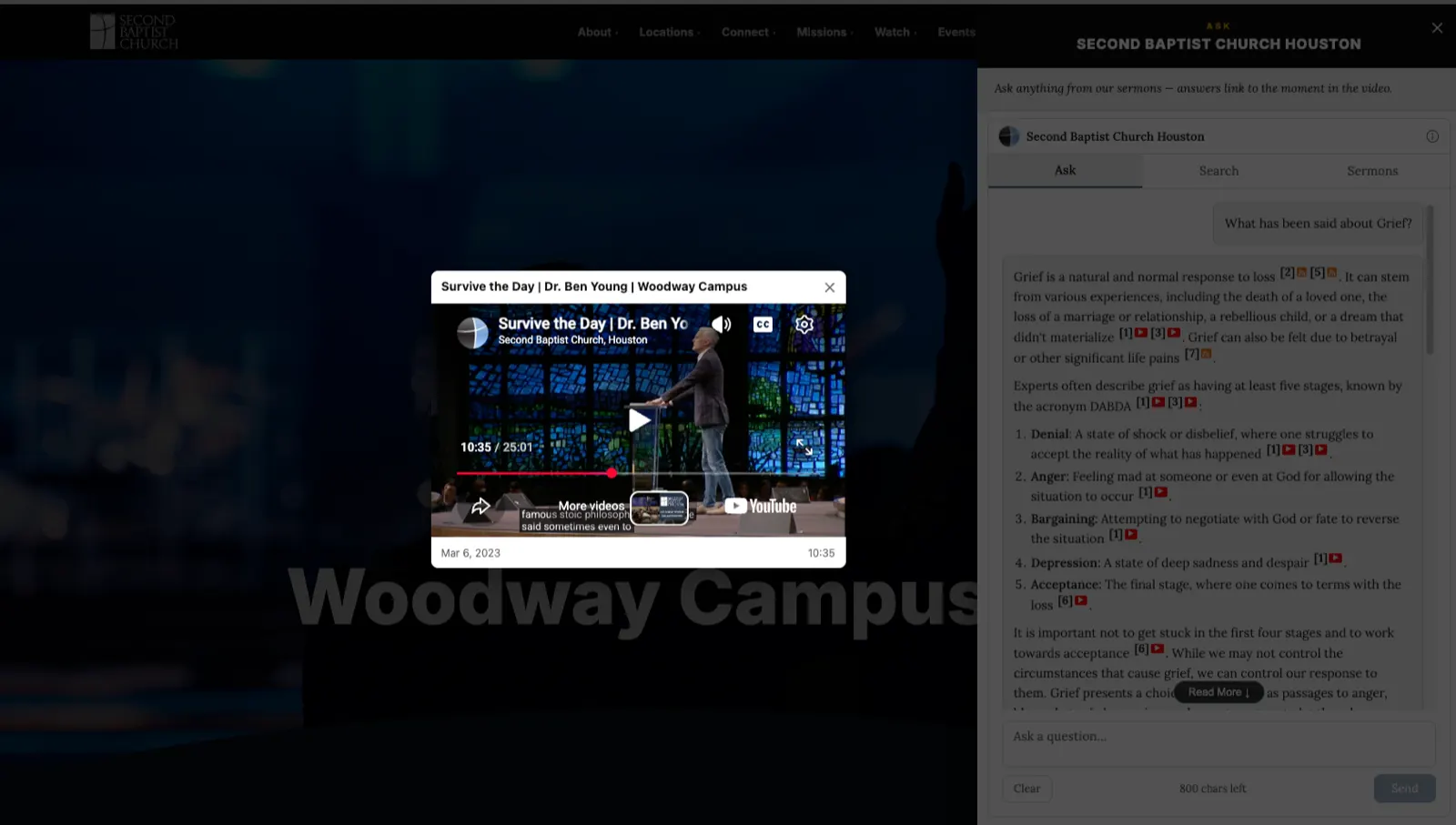
Step 3 — Citations jump to the moment in the video
Clicking citation [1] jumps directly into Dr. Ben Young’s sermon Survive the Day at 10:35 — the exact second where he lays out the five stages of grief. Not the sermon page, not the intro. The moment.
What Second Baptist did to get there
The install itself was the same paste every customer does — two lines of HTML in their site footer, following the WordPress / Squarespace / plain-HTML guide for their stack. Everything you see on this page — the “Ask Second” label, the color, the citation format — is stock widget behavior with a couple of CSS variables set. Nothing custom-built.
Where to go next
Pick your platform:
Any site (plain HTML)·WordPress·Squarespace·Subsplash·Rock RMS·Wix·Webflow·React·Next.js
- Match your brand: Customization (CSS)
- Set up the security allowlist: Allowed origins